Best gloves for touchscreen use in cold weather
The need to use a smartphone outdoors in cold weather presents a frustrating dilemma: expose your fingers to the freezing air for a quick text, or keep them warm but remain disconnected. Traditional gloves block the capacitive charge needed to interact with modern touchscreens. Fortunately, advancements in conductive fabric have led to highly functional **touchscreen-compatible gloves** that balance essential warmth with necessary dexterity and conductivity.
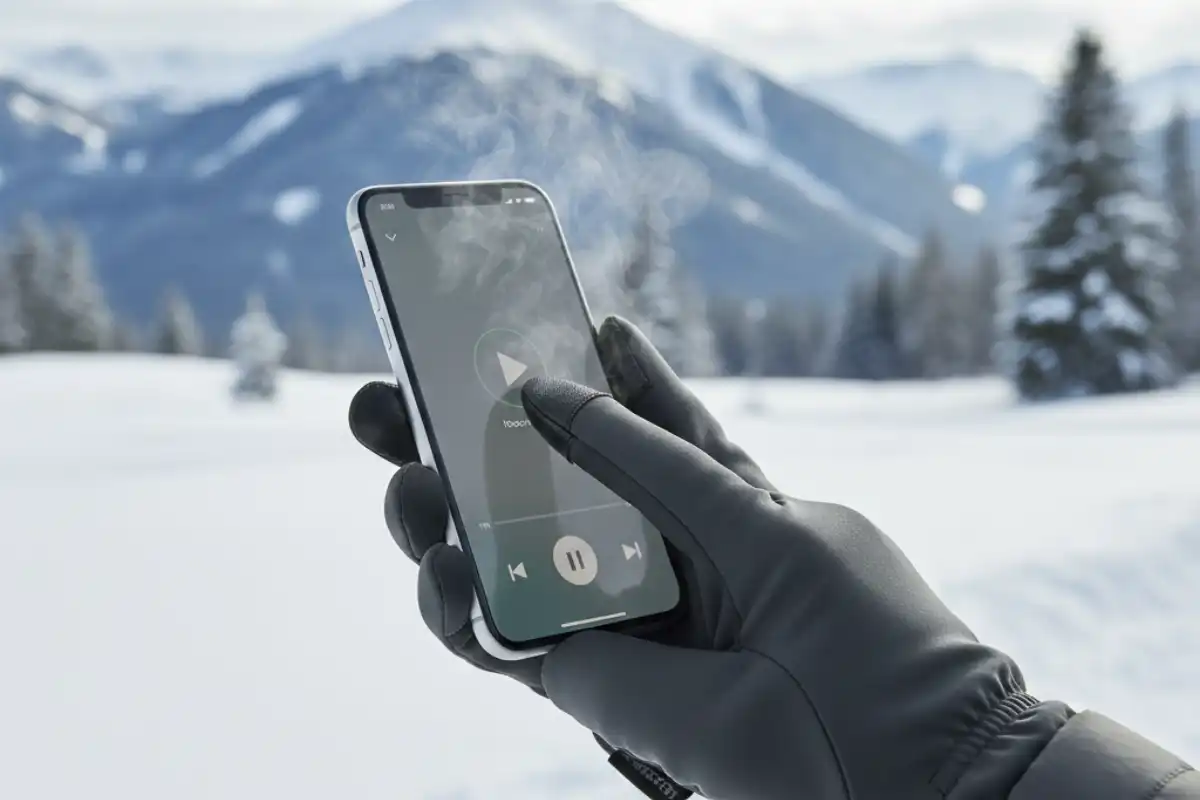
Understanding Touchscreen Technology: Why Normal Gloves Fail
Modern smartphone screens rely on **capacitive technology**, which uses the natural electrical conductivity of your skin (your body’s electrical charge) to register a touch. Regular fabrics are insulators, blocking this charge. Touchscreen gloves overcome this by integrating conductive materials.
1. Types of Conductive Materials
- **Silver or Copper Thread:** Fine metallic threads woven into the fingertips (or the entire glove) conduct the electrical charge from your finger to the screen. This is the most common and effective method for knitted gloves.
- **Conductive Patches:** Leather or performance gloves often use small, discrete conductive patches sewn onto the fingertips.
- **Reviewer Insight:** “I found that the gloves with threads woven throughout the entire finger, not just the tip, offered much better accuracy, especially for edge-swiping and reaching corners of the screen. The small fingertip patches always felt clumsy.” (Source: Outdoor Gear Review Magazine)
Top Glove Styles for Cold-Weather Use
The perfect glove is a compromise between warmth (bulk) and precision (dexterity).
1. The Liner Glove (High Dexterity)
Thin, fitted gloves (often merino wool or synthetic knit) treated with conductive thread. These are ideal for running, hiking in moderate cold, or as a base layer.
- **Best For:** Typing, detailed phone operations, and camera use where precision is key.
- **Drawback:** Offers minimal thermal protection against extreme cold.
2. The Convertible Mitten (Ultimate Warmth)
This design allows the fingers to be enclosed in a warm mitten shell while the thumb and the index finger tips (or sometimes all fingers) can be exposed or covered by a flap. Some models include a conductive patch on the inner finger liner.
- **Best For:** Skiing, long periods of low-activity exposure, or deep cold where maximizing warmth is paramount.
3. Waterproof Performance Gloves
Thicker, insulated, and often waterproof gloves (necessary for snow and rain) that incorporate large conductive pads on the thumb and index finger.
- **Best For:** Snowboarding, shoveling, or other activities requiring heavy-duty protection. Accuracy is lower, but durability and warmth are high.
Tech User’s Hack: Maximizing Screen Sensitivity
“If your screen is sluggish with gloves on, try activating your phone’s ‘Glove Mode’ or ‘High Sensitivity’ setting (available on some Android models). This feature increases the screen’s sensitivity to register lighter touches, greatly improving accuracy and speed when wearing thicker gloves.” (Source: Mobile Technology Blog)
Key Features to Check Before Buying
- **Full Finger Coverage:** For maximum versatility, look for gloves where the conductive material covers the full fingertip pad, not just the extreme tip.
- **Grip:** Ensure the palm features silicone grips or non-slip material. A major risk in cold weather is dropping your expensive phone onto a hard, icy surface.
- **Fit:** The gloves must fit snugly, especially around the fingertips. Excess fabric creates an air gap, reducing conductivity and making detailed typing impossible.
Frequently Asked Questions About Touchscreen Gloves
Will touchscreen gloves work with a screen protector on my phone?
Yes, in most cases. A standard glass or plastic screen protector should not interfere with the capacitive touch function. However, if you are wearing a very thick glove, the protector might slightly dull the sensitivity.
Do I need to wash my touchscreen gloves differently?
Yes. To protect the conductive metallic threads, most touchscreen gloves should be hand-washed in cold water and air-dried. Avoid machine washing, harsh detergents, and especially fabric softeners, which can coat the metallic fibers and reduce conductivity over time.
Are there any hacks to make regular gloves work on a touchscreen?
A temporary hack is to sew a few stitches of **conductive thread** (available online) into the fingertip of your existing gloves. This allows your finger’s electrical charge to pass through the insulating fabric. This works best on thin, non-waterproof gloves.
Can I use a stylus instead of touchscreen gloves in the cold?
A dedicated capacitive stylus will work with any glove, provided you can hold the stylus comfortably. This is an excellent solution for high-precision tasks like editing photos or drawing, as it bypasses the glove’s conductivity issues entirely.
Why is dexterity important even for basic phone use?
Gloves with poor dexterity force you to use the blunt pad of your finger or the side of your thumb, leading to frequent errors, mistypes, and frustrating zooming/scrolling issues. High dexterity allows you to use the true tip of your finger, improving accuracy and speed, especially when inputting passwords or typing messages.
Conclusion: Seamless Interaction in Any Climate 🥶
The ideal touchscreen glove is a marriage of textile science and ergonomic design. By selecting a glove style that matches your activity level from the precision of liner gloves to the extreme warmth of convertible mittens and by verifying the quality of the conductive materials and fit, you eliminate the need to expose your hands to the cold. Choose wisely, and you can enjoy seamless connection, communication, and photography, even in freezing conditions.